 Baby Tracker
Breastfeeding
Which side was it? The app remembers.
Tap Breastfeed and the side you should start on is already highlighted. Switch breasts mid-feed, pause for a burp, lock the phone — the timer keeps the right time for each side.
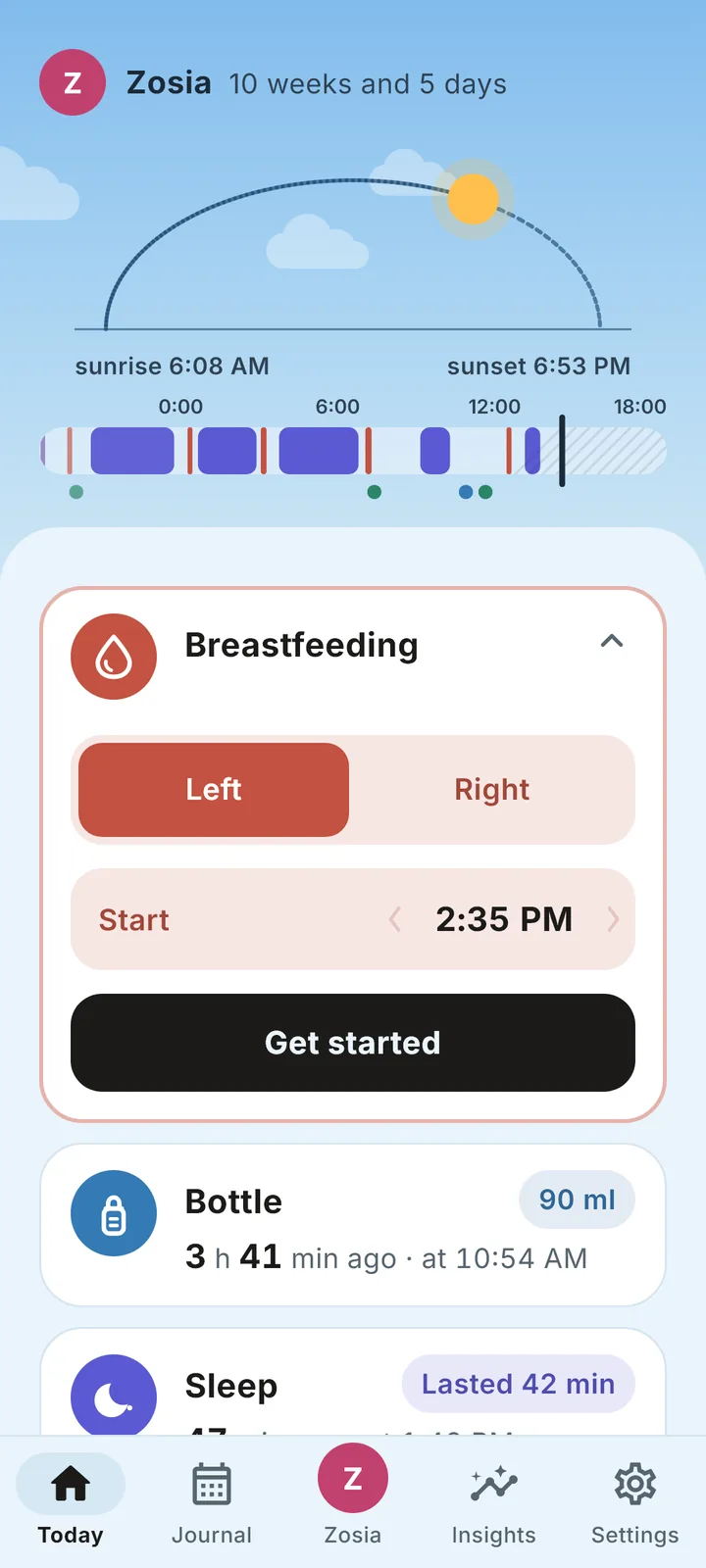
A breastfeeding timer that starts on the right side
Tap the Breastfeeding card on the Today screen and it opens with Left and Right. One of them is already selected: the side the app suggests — the closed card even says Next: left. Tap Get started and the timer runs; if the feed began a few minutes ago, move the start time first. From the Everyone view or a reminder, the same choice comes as a sheet with two big buttons, and tapping a side starts the timer at once.
The hint follows a simple rule that works at 3 a.m.: start on the breast you did not start on last time. The app reads the side your last finished feed began on, looks back up to 14 days, and suggests the opposite. If you fed from one breast only, the hint is the other breast. If you started left and moved to right, the hint is right.
Switching sides, pausing and seeing each breast’s time
During a feed the timer shows both sides with their own minutes and a small now next to the current one. Tap the other side to switch; it becomes a new segment. Pause for a burp or a diaper change, and the pause does not count towards the feed.
When you finish, a bar says Saved: Breastfeeding, 18 min with Edit and Undo. The journal keeps the split, for example Right · 18 min, or both sides with their minutes. The saved sheet also tells you where to begin next time, so the next feed starts from the right breast without thinking.
The ring shows what is usual for your baby
The full-screen timer draws the feed as a ring. One full turn is twice your baby’s usual feed, so the usually about 18 min mark always sits halfway round. A glance tells you whether this feed is short, typical or long. The two sides appear in two shades of the same colour.
A timer you cannot lose
The time comes from the moment you pressed start, not from a stopwatch running in the app. Close the app, lock the phone or restart it, and the feed still shows the right time. While a feed runs, a notification lets you pause or finish it without opening the app.
Fell asleep mid-feed? After four hours the timer stops pretending. It shows Check this timer and asks when the feed really ended before anything is saved.
Feeding twins: one breast, one baby
With two children in the app, a breast that is in use is marked as taken by the other baby. Start a tandem feed and each child gets the opposite side; change one and the other follows. If you add a feed by hand that overlaps another child’s feed on the same breast, the app asks before saving. More on this on the twins page.
Reminders that start from the last feed
Turn on feeding reminders and the app tells you when a set time has passed since the end of the last feed or bottle, for example Last feeding 3 h ago. The first time you switch it on, the interval comes from your own rhythm over the past 14 days. The reminders page explains the night quiet hours.
From the blog: Which breast to start on, and how to remember.
Questions
How does the app know which side is next?
It looks at the side your last finished feed started on, from the past 14 days, and suggests the other one. After a left-then-right feed it suggests right, because that feed started on the left. You can always tap the other side instead.
Can I switch breasts during a feed?
Yes. Tap the other side on the timer and a new segment starts. When you finish, the entry keeps how long each breast took, for example Left 9 min, Right 11 min.
What happens if I fall asleep with the timer running?
Nothing is lost. After four hours the timer asks you to check it: you set when the feed really ended before it is saved, so a forgotten timer does not turn into a five-hour feed.
Can I log a feed I forgot to time?
Yes. Add it afterwards and set when it started and how long it lasted, or when it ended, and which side.
Is the breastfeeding timer free?
Yes. Logging, timers, the side hint, reminders and the full journal are free, with no ads.
Your baby’s day, two taps at a time.
Install, add your baby’s name, tap the first feed. No sign-up.
iPhone version later