 Baby Tracker
Report for the doctor
Everything the doctor asks, on one page.
Choose the days, write down your questions, and the app makes a PDF: a one-page summary, a day-by-day table and, if you like, every entry. Send it or print it before the visit.
A visit with answers ready
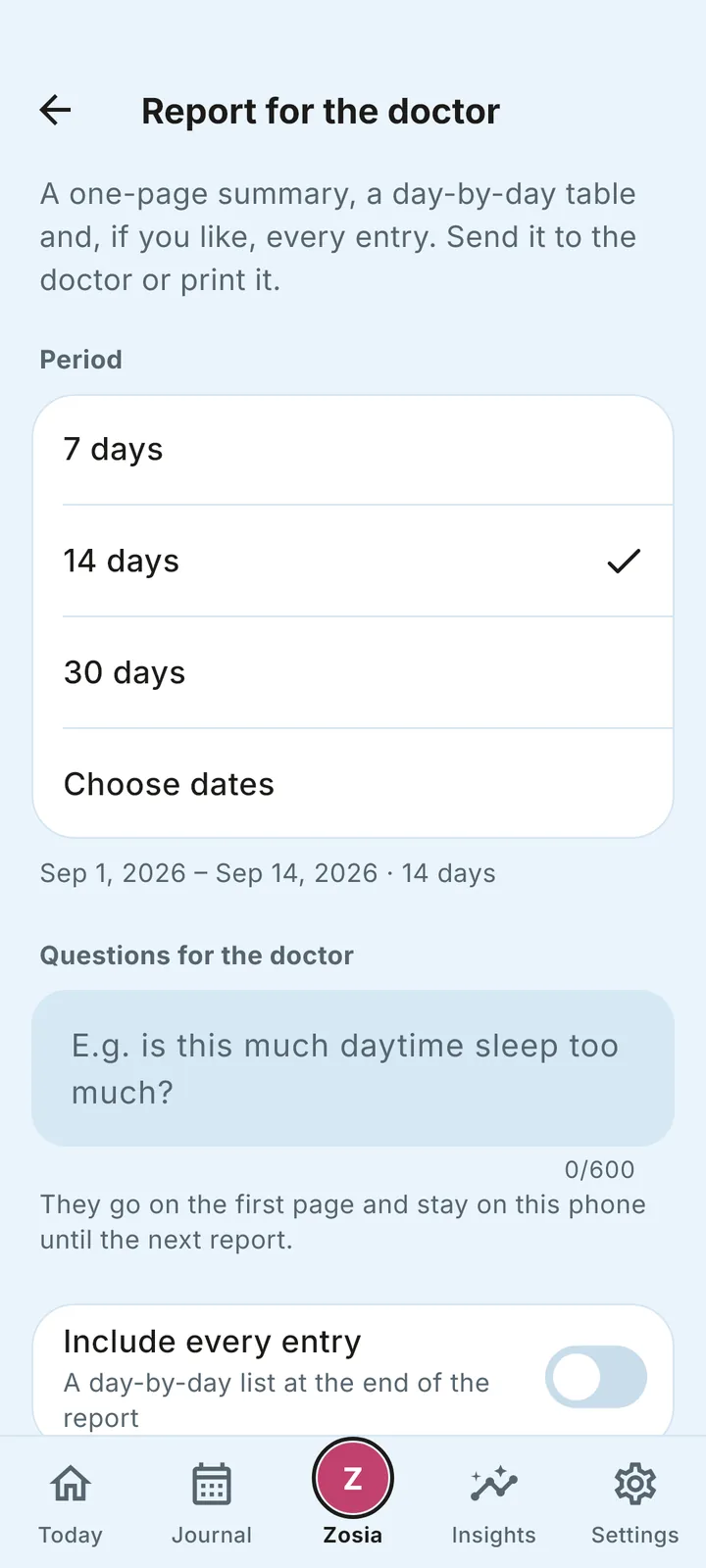
Paediatric visits go fast, and the questions are always the same: how often does she feed, how long does she sleep, how many wet diapers, any medicine? The Report for the doctor answers them before they are asked. Open your child’s tab, tap Report for the doctor, pick a Period and save the PDF or share it.
The period can be 7 days, 14 days (the default), 30 days, Since the last report, or Choose dates, up to 90 days. The report keeps the day of the last one, so before the next check-up you can cover exactly the time in between.
Questions for the doctor
There is a box for Questions for the doctor — e.g. is this much daytime sleep too much? Whatever you write goes on the first page and stays on your phone until the next report. Write questions down at 3 a.m. when you think of them, and they are waiting in the surgery.
What the first page shows
The summary page starts with your child: date of birth, age — with the due date and corrected age for a baby born early — sex, birth weight and length, and how many days in the period have entries. Then the latest measurements with the change since the previous one, and a percentile as a number when there is one.
The middle of the page is per day on average, each with the least and the most: feeds and feeds at night, breastfeeds with the left and the right, bottles on the days with a bottle, sleep in total, at night and in the day, the longest sleep, and diapers — wet, dirty and mixed. Then medicines with how many times and the doses. When there are new foods or meals with symptoms, a starting solids section lists them.
Day by day, and every entry
After the summary comes a table with one row per day, from today backwards. Turn on Include every entry and the report ends with the full list, day by day — useful when the doctor wants to see exactly when the vomiting started.
A worked example: before the two-month check-up, Kasia picks Since the last (34 days), types two questions about spit-up and the long evening feeds, and shares the PDF to the clinic’s email. The doctor opens it before calling them in.
Made on your phone
The PDF is made on the phone, in the app’s language and your units, and nothing is sent anywhere unless you send it. It is named after your child and the date. The numbers are the same as in Insights and the growth chart.
From the blog: What to tell the paediatrician at a baby check-up.
Questions
What is in the report?
Your child's details, your questions, the latest measurements with the change, averages per day for feeds, sleep and diapers with the least and the most, medicines with doses, starting solids when relevant, a day-by-day table and, optionally, every entry.
Which period can it cover?
7, 14 or 30 days, since the last report, or dates you choose — up to 90 days.
Is the report free?
The report is part of premium. Logging, the journal, insights for today and 7 days, and measurements with a chart stay free.
Is the PDF created on a server?
No. The PDF is put together on your phone, in the app's language and your units. You decide where to save or send it.
Your baby’s day, two taps at a time.
Install, add your baby’s name, tap the first feed. No sign-up.
iPhone version later